Ship: sell your robot and have it built
Your landing page and store
Open Store: your page is already written from your robots and plans. Four things shape it: the robots to feature, who it’s for (Write it for me rewrites the page for them), the price clients see, and the look (three styles and your logo). Change anything else by asking Esos (“make the hero say…”, “add a testimonials section”) and preview it on Desktop and Mobile. Publish puts it live on your own address, your-name.esos.store.
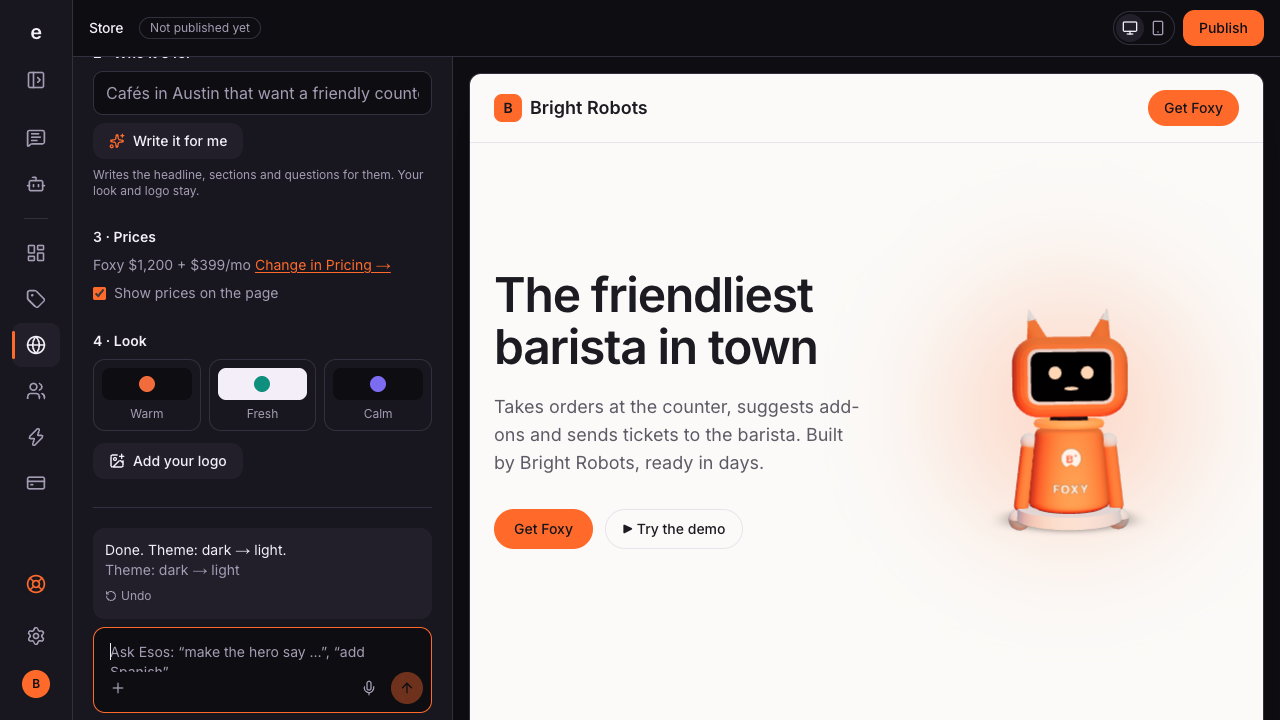
Visitors can Try the demo (talk to the robot in their browser) and order.
Plans and prices
In My business you set how businesses pay: Buy (one price), Subscribe (robot-as-a-service, monthly), Lease (soon) and a Tablet pilot (start on a tablet, add the robot body later). In Robots on your store you choose which robots are listed and their setup and monthly prices. Payments go to your own payout account (test mode until you connect a real one). Esos takes a small fee per payment.
The Build Pack
Press Confirm robot in Build and Esos makes everything needed to build it:
- the 3D files for every printed part (STL and STEP) and a 3D preview
- a parts list with supplier links
- a wiring diagram and an assembly guide
- a compliance checklist
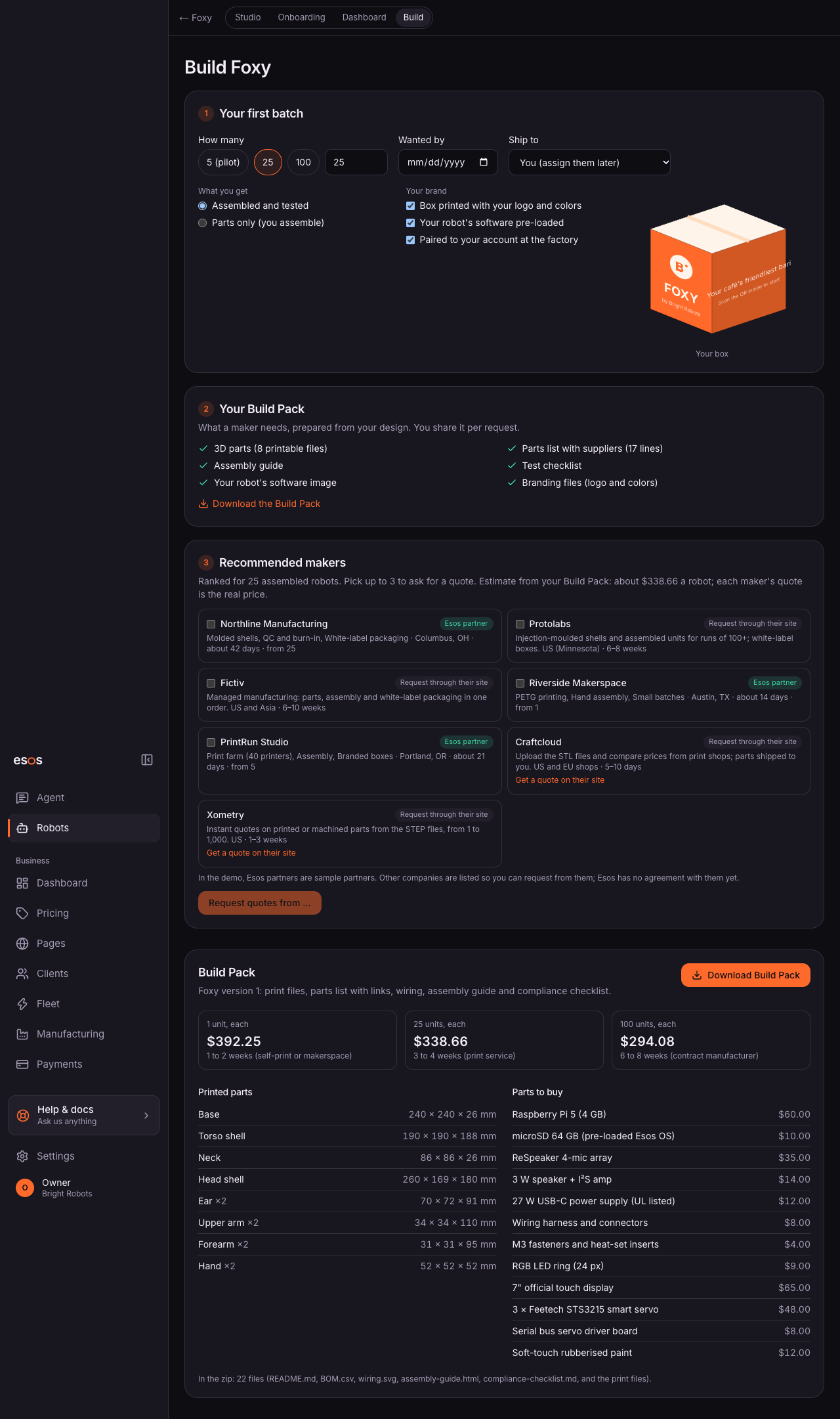
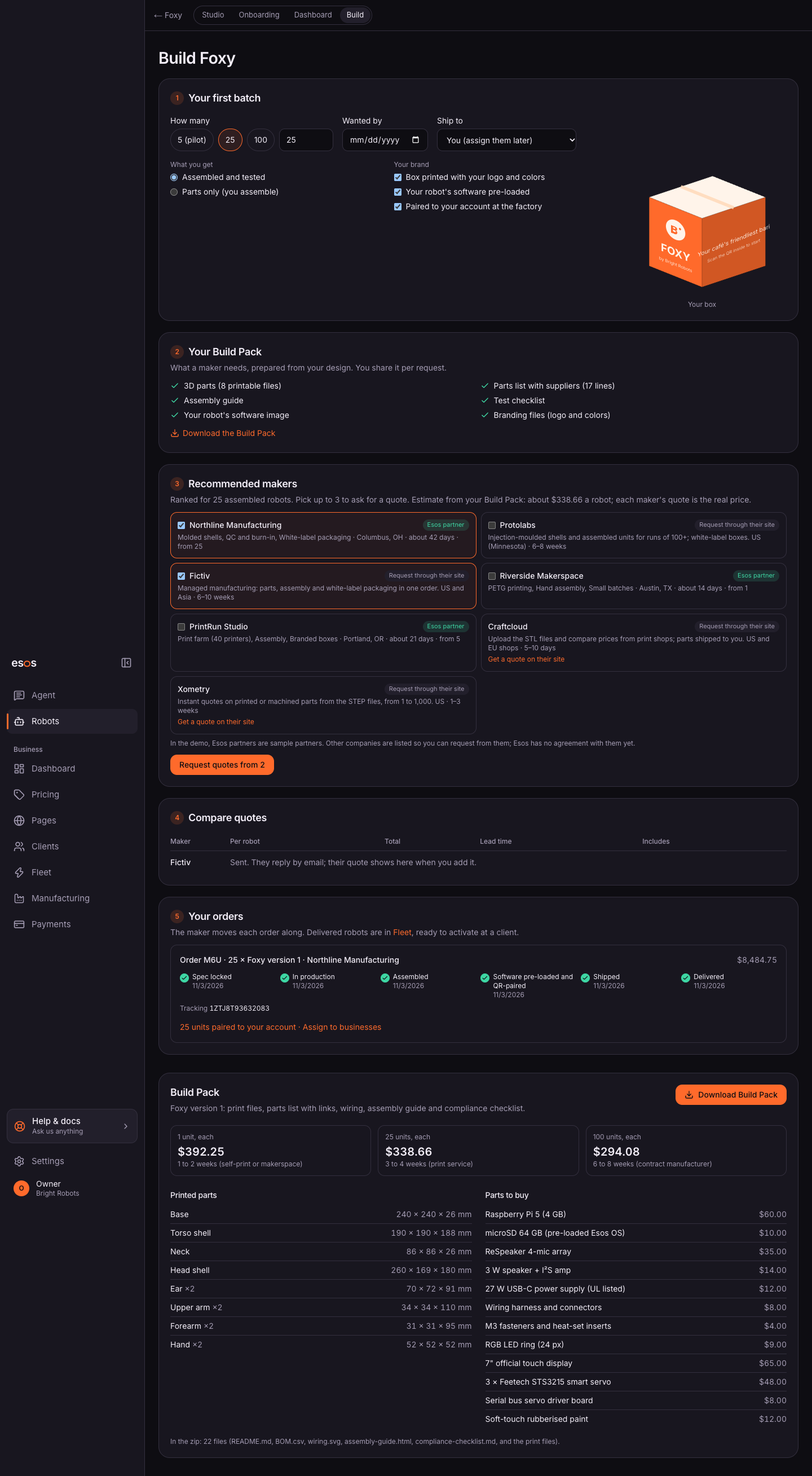
Having partners build it
From the Maker Network, choose who builds it: yourself or a makerspace, an on-demand print service, or a contract manufacturer (partners marked “coming soon” are being signed up). For larger runs, Order branded units: get a quote with a branded box preview, pay, and follow the order through six steps, from “Spec locked” to “Delivered”. Units arrive already paired to your account, ready to assign to businesses. If one breaks, request a repair; the replacement keeps the old one's business and version.